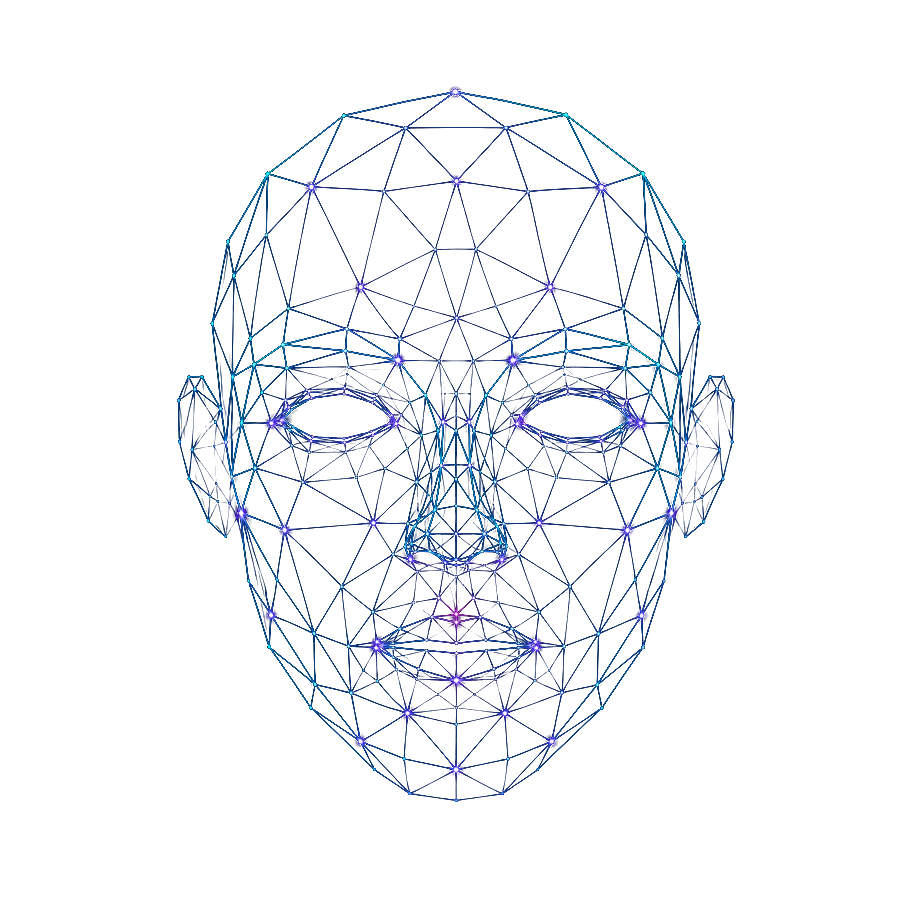
AI Camera Tools vs Virtual Camera Tools
AI camera tools and virtual camera tools are often discussed together, but they are not the same thing. Both can change how a camera feed appears in calls, streams, recordings, and creator workflows. The difference is what they actually do.
A virtual camera tool usually helps route, modify, or output a camera feed so another app can use it as a webcam source. An AI camera tool usually changes the appearance of the live camera feed using artificial intelligence, visual transformation, avatar-style effects, or identity-based camera effects.
The easiest way to understand the difference is this:
Virtual camera tools control where the camera feed goes.
AI camera tools change what the camera feed looks like.
Some tools can overlap. A product may include AI effects and also behave like a virtual camera. OBS can output a scene as a virtual camera. ManyCam-style tools can route and modify camera feeds. AI camera transformation tools belong more naturally to the AI camera side because the main goal is real-time visual transformation.
Quick Answer: What Is the Difference?
AI camera tools focus on visual transformation.
Virtual camera tools focus on camera routing and output.
| Category | Main purpose | Best for |
|---|---|---|
| AI camera tools | Transform how someone appears on camera | Creators, avatars, AI identity, live effects |
| Virtual camera tools | Send a camera or scene output into another app | Video calls, OBS, streaming, routing |
| OBS Virtual Camera | Send an OBS scene as a webcam source | Production workflows, streaming, presentations |
| Webcam effects tools | Add filters or visual styling | Calls, casual effects, creator content |
| Avatar tools | Replace camera presence with a character | VTubers, anonymous creators, streamers |
If your main question is “How do I send this video feed into Zoom, Discord, OBS, or another app?” you are probably looking for virtual camera software.
If your main question is “How do I look like a different person, character, avatar, or visual identity on camera?” you are probably looking for an AI camera tool.
What Are AI Camera Tools?
AI camera tools use artificial intelligence or advanced visual processing to change how a person appears on camera. They may transform the user’s face, style, avatar, background, character identity, or overall camera presence.
AI camera tools may be used for:
- Live visual transformation
- AI avatar-style camera identity
- Webcam identity effects
- Creator camera effects
- Streaming visuals
- Social content
- Video call experiments
- Real-time face transformation
- Character-based camera presence
Some AI camera tools focus on entertainment. Some focus on creator workflows. Some overlap with avatars, webcam effects, real-time face swap, or virtual camera software.
What Are Virtual Camera Tools?
Virtual camera tools create or route a camera output that another app can select as a webcam source.
Instead of an app using your physical webcam directly, it may receive a processed output from a virtual camera tool.
Virtual camera tools may be used for:
- Video calls
- OBS workflows
- Streaming setups
- Camera routing
- Screen plus camera layouts
- Background effects
- Multi-source video
- Presentation layouts
- Webcam effects
- Avatar output
A virtual camera tool does not necessarily use AI. It may simply route or compose video.
The Core Workflow Difference
A simple physical webcam workflow looks like this:
Webcam → Video App
A virtual camera workflow may look like this:
Webcam → Virtual Camera Tool → Video App
An OBS workflow may look like this:
Webcam + Screen + Overlay → OBS Scene → OBS Virtual Camera → Video App
An AI camera workflow may look like this:
Webcam → AI Camera Tool → Transformed Camera Feed → Video App or OBS
A combined AI camera and virtual camera workflow may look like this:
Webcam → AI Camera Tool → Virtual Camera Output → OBS or Video App
This is where the categories overlap. An AI camera tool may need virtual camera behavior to send its transformed output into another app. A virtual camera tool may include basic effects, but that does not automatically make it an AI camera tool.
AI Camera Tools vs Virtual Camera Tools: Side-by-Side
| Question | AI camera tools | Virtual camera tools |
|---|---|---|
| What do they mainly do? | Transform appearance | Route or output camera feed |
| Do they need AI? | Usually yes | Not necessarily |
| Are they useful for creators? | Yes | Yes |
| Are they useful for video calls? | Sometimes | Often |
| Are they useful for OBS? | If compatible | Often |
| Do they replace a webcam? | They may transform webcam output | They may act as a webcam source |
| Do they create avatars? | Sometimes | Not by themselves |
| Do they add filters? | Sometimes | Sometimes |
| Do they require privacy review? | Yes | Yes |
| Are they the same category? | No | No |
The main difference is purpose. AI camera tools are about transformation. Virtual camera tools are about routing and compatibility.
When to Use AI Camera Tools
Use an AI camera tool when the goal is to change the camera identity or visual appearance.
AI camera tools may be the better fit for:
- Creators who want a distinctive on-camera look
- Streamers who want live visual transformation
- Users who want avatar-style camera identity
- Social creators making unusual visual content
- Anonymous creators who do not want to appear as themselves
- Users exploring character-based camera presence
- People comparing AI webcam effects or live face transformation
AI camera tools are usually more about creative identity than camera routing.
When to Use Virtual Camera Tools
Use a virtual camera tool when the goal is to send a modified or composed camera feed into another app.
Virtual camera tools may be the better fit for:
- Video calls
- Remote work
- Presentations
- OBS scenes
- Streaming production
- Screen plus camera layouts
- Webcam routing
- Multi-source video
- Background effects
- Camera switching
Virtual camera tools are usually more about compatibility, control, and routing.
When You Need Both
Many creator workflows need both AI camera tools and virtual camera tools.
For example, a creator may use an AI camera tool to transform their appearance, then use a virtual camera output to send that transformed feed into OBS, Zoom, Discord, or another platform.
A possible workflow:
Physical Camera → AI Camera Tool → Virtual Camera Output → OBS → Stream
Another workflow:
Physical Camera → AI Camera Tool → Virtual Camera Output → Video Call App
This is why the categories are connected. AI transformation may be the creative layer, while virtual camera output may be the delivery layer.
AI Camera Transformation Tools
AI camera tools focus on real-time visual transformation. That places them closer to the AI camera category than to basic virtual camera software.
AI camera transformation tools may be relevant for users who want:
- Live camera transformation
- Creator identity effects
- Avatar-style presence
- Streamer camera concepts
- Social content
- A way to appear differently on camera
What to check
Before choosing an AI camera tool, check:
- Official download source
- Supported platforms
- Virtual camera support
- OBS compatibility
- Video call compatibility
- Privacy policy
- Camera permissions
- Pricing
- Performance
- Platform rules
Important: do not assume that any AI camera tool supports a specific app or workflow unless the official product documentation confirms it.
Read more: AI Camera Tools and AI Camera Apps.
OBS Virtual Camera
OBS Virtual Camera belongs to the virtual camera side of the comparison. OBS lets users build a scene, combine sources, add overlays, and output the final scene as a camera source.
OBS Virtual Camera may be useful for:
- Streamers
- YouTubers
- Remote presenters
- Educators
- Tutorial creators
- Podcast hosts
- Users who want screen plus camera layouts
- Users who need scene control
OBS is not an AI camera tool by itself. It is a production and routing workflow. However, OBS can be used together with AI camera tools, avatar tools, webcam effects, and virtual camera software.
Read more: OBS Virtual Camera Tools.
ManyCam-Style Virtual Camera Software
ManyCam-style tools are closer to the classic virtual camera software category. They can help users route camera feeds, add effects, switch sources, and use a virtual webcam source in other apps.
This category may be useful for:
- Video calls
- Remote work
- Presentations
- Webcam effects
- Background effects
- Camera switching
- Multi-source video
- Simple creator workflows
These tools may include visual effects, but their main value is often camera routing and compatibility.
Webcam Effects Tools
Webcam effects tools sit between simple virtual camera tools and more advanced AI camera tools.
They may include:
- Filters
- Background blur
- Virtual backgrounds
- Color effects
- Overlays
- Frames
- Light face effects
- Camera styling
Some webcam effects tools use AI. Others do not. The key question is whether the tool only adds effects, or whether it transforms the user’s camera identity in a more advanced way.
Read more: Webcam Effects Tools.
Avatar Tools and VTuber Software
Avatar tools and VTuber software overlap with AI camera tools because they change how a creator appears on camera. They may also overlap with virtual camera tools if they output an avatar feed that can be selected by OBS, Discord, Zoom, or another app.
Avatar tools may be useful for:
- VTubers
- Anonymous creators
- Character-based streamers
- Users who do not want to show their real face
- Creators building a long-term visual identity
Avatar tools are not always AI camera tools, but they belong in the same broader creator camera ecosystem.
Read more: AI Avatar Tools for Streaming and VTuber Software.
AI Camera Tools vs AI Face Swap Apps
AI camera tools and AI face swap apps are also different.
AI face swap apps often focus on changing faces in photos or videos. AI camera tools focus more on live camera transformation.
| Category | Main format | Best for |
|---|---|---|
| AI face swap apps | Photos or uploaded videos | Social edits, short videos, face swap content |
| AI camera tools | Live camera input | Streaming, video calls, creator identity |
| Real-time face swap tools | Live transformation | Technical users, advanced workflows |
| Avatar tools | Character identity | VTubers and anonymous creators |
A user who wants a quick edited video may need an AI face swap app. A user who wants to appear differently during a live camera session may need an AI camera tool.
Read more: AI Face Swap Apps.
AI Camera Tools vs Real-Time Face Swap Tools
Real-time face swap tools are a specific category of live transformation. AI camera tools are broader.
A real-time face swap tool may focus on replacing or transforming a face in a live feed. An AI camera tool may include broader effects, avatar-style output, identity transformation, or creator-friendly camera workflows.
Real-time face swap tools may be more technical and should be used carefully because they raise stronger questions around identity, consent, impersonation, and platform rules.
Read more: Real-Time Face Swap Tools.
Which One Is Better for Streaming?
For streaming, the best setup often depends on the content format.
| Streaming need | Better category |
|---|---|
| Scene control | OBS Virtual Camera |
| Overlays and production | OBS workflows |
| AI identity effects | AI camera tools |
| Avatar streaming | VTuber software |
| Simple filters | Webcam effects tools |
| Technical face swap | Real-time face swap tools |
| Camera routing | Virtual camera software |
A streamer may use more than one tool. For example, they may use an AI camera tool for transformation and OBS for scene control.
Which One Is Better for Video Calls?
For video calls, simplicity and context matter.
Virtual camera tools may be better for:
- Professional framing
- Presentations
- Background effects
- Clean camera routing
- Screen plus camera layouts
AI camera tools may be better for:
- Casual calls
- Creative communities
- Social experiences
- Avatar-style identity
- Fun camera transformation
AI camera tools may not be appropriate for formal meetings, interviews, legal settings, healthcare, finance, education, or any situation where real identity is expected.
Which One Is Better for Creators?
Creators should choose based on the content they create.
| Creator goal | Better category |
|---|---|
| Look different on camera | AI camera tools |
| Route camera into apps | Virtual camera tools |
| Stream with overlays | OBS workflows |
| Use a character identity | Avatar tools |
| Make edited face swap videos | AI face swap apps |
| Add simple filters | Webcam effects tools |
| Build a reliable production setup | OBS plus virtual camera tools |
The best creator workflow is usually the one that is repeatable and stable.
Privacy and Permissions
Both AI camera tools and virtual camera tools can request sensitive permissions.
Virtual camera tools may request:
- Camera access
- Microphone access
- Screen access
- System permissions
- App-level camera routing
AI camera tools may request:
- Camera access
- Uploaded images or videos
- Face-related visual data
- Processing permissions
- Account access
- Cloud or local processing permissions
Before installing any tool, review:
- Official download source
- Privacy policy
- Terms of use
- Camera permissions
- Microphone permissions
- Screen permissions
- Upload behavior
- Data retention
- Deletion options
- Commercial use rights
- Platform policies
Responsible Use
AI camera tools and virtual camera tools should be used responsibly.
Avoid:
- Impersonating real people without permission
- Misleading viewers or call participants
- Using someone else’s likeness without consent
- Violating platform rules
- Using identity-changing effects in sensitive settings
- Presenting an AI-transformed feed as real identity when disclosure matters
Better use cases include:
- Original characters
- Clearly fictional effects
- Creator identity
- Presentation polish
- Webcam layout control
- Consensual collaborations
- Stream segments where the audience understands the effect
- Privacy-friendly creator workflows
How to Choose Between AI Camera Tools and Virtual Camera Tools
Use this checklist:
- Do you want to transform appearance or route video?
- Do you need live camera support?
- Do you need OBS compatibility?
- Do you need video call support?
- Do you need simple filters or advanced AI transformation?
- Does the tool work on your operating system?
- Does it appear as a camera source where needed?
- Does it support your target platform?
- Is output quality good enough?
- Is latency acceptable?
- Are privacy terms clear?
- Is pricing clear?
- Can you test before using it live?
- Is your use case responsible and appropriate?
Final Thoughts
AI camera tools and virtual camera tools are connected, but they solve different problems.
AI camera tools are about transformation. They help creators, streamers, and users appear differently on camera through AI effects, avatar-style identity, or live visual transformation.
Virtual camera tools are about routing. They help users send a camera feed, OBS scene, avatar output, or modified video source into another app as a webcam.
For many creators, the best setup uses both. AI camera tools create the visual effect. Virtual camera tools send that effect where it needs to go.
Start with the goal. If you want to change how you look, compare AI camera tools and AI camera apps. If you want to control where your camera feed goes, compare virtual camera tools. If you want a complete production setup, compare OBS workflows and related creator tools. For uploaded video face swap workflows, compare AI Face Swap Video Tools. Explore more in our guides, reviews, and comparisons hubs.
FAQ
What is the difference between AI camera tools and virtual camera tools?
AI camera tools focus on transforming how someone appears on camera. Virtual camera tools focus on routing or outputting a camera feed so another app can use it as a webcam source.
Is a virtual camera the same as an AI camera?
No. A virtual camera does not necessarily use AI. It may simply route or output a video feed. An AI camera tool usually changes the appearance of the camera feed using AI or visual transformation.
Can AI camera tools work as virtual cameras?
Some AI camera tools may provide virtual camera output or compatible camera behavior, but users should check official documentation before relying on any tool.
Is OBS an AI camera tool?
No. OBS is better understood as a production and virtual camera workflow. It can be used with AI camera tools, but OBS itself is not mainly an AI camera transformation tool.
What are virtual camera tools used for?
Virtual camera tools are used to send a camera feed, OBS scene, avatar output, or modified video source into another app as a webcam source.
What are AI camera tools used for?
AI camera tools are used for live visual transformation, avatar-style camera identity, creator content, streaming effects, and changing how someone appears on camera.
Which is better for streaming?
For streaming, OBS and virtual camera workflows are useful for production control, while AI camera tools are useful for visual transformation. Many streamers may use both.
Which is better for video calls?
Virtual camera tools are often better for professional calls and presentation layouts. AI camera tools may be better for casual, creative, or avatar-style calls where transformation is appropriate.
Are AI camera tools and virtual camera tools safe?
They can be safe when downloaded from official sources and used responsibly. Users should review permissions, privacy policies, data handling, and platform rules before using any camera tool.